AI Chatbot for WordPress Websites

Give your WordPress website a smart, always-on assistant that answers visitor questions instantly — trained on your own business information, never guessing, never making things up.

What Is an AI-Powered Chatbot?

An AI chatbot is a conversational tool embedded directly on your website that answers visitor questions in real time. Unlike basic FAQ plugins or scripted bots, an AI chatbot understands natural language — meaning visitors can type questions in their own words and get accurate, helpful answers instantly.

When built correctly, an AI chatbot works 24/7, reduces repetitive support questions, and helps convert curious visitors into paying clients.

What I Build for You

I design and build a fully custom AI chatbot for your WordPress website — powered by your own business content, not generic AI responses.

Here is what you get:

  • A chat widget embedded directly on your WordPress site
  • AI trained exclusively on your business information
  • Instant, accurate answers to visitor questions
  • A polite fallback message when a question is outside the knowledge base
  • Automatic chat history logging so you can review every conversation
  • A clean, mobile-friendly chat interface that matches your site
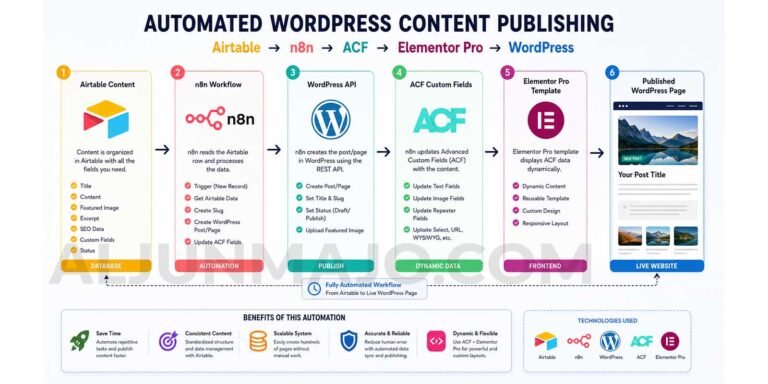
Ai Chatbot using n8n
AI Chatbot of Aljun using n8n

What I Build for You

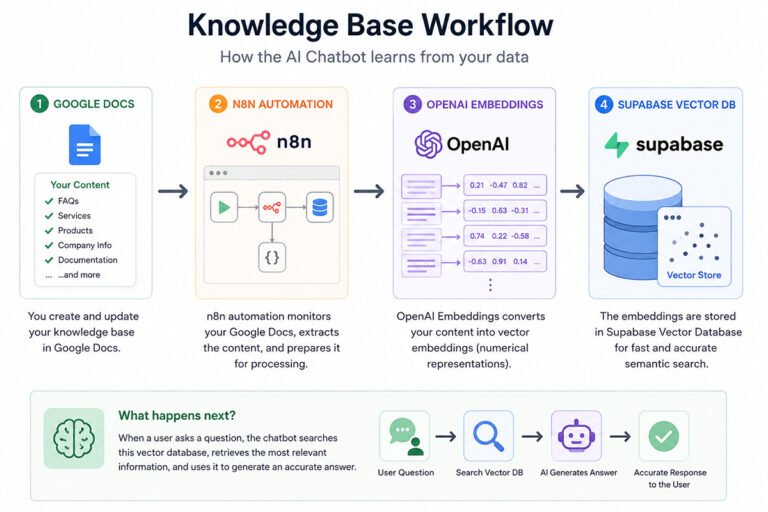
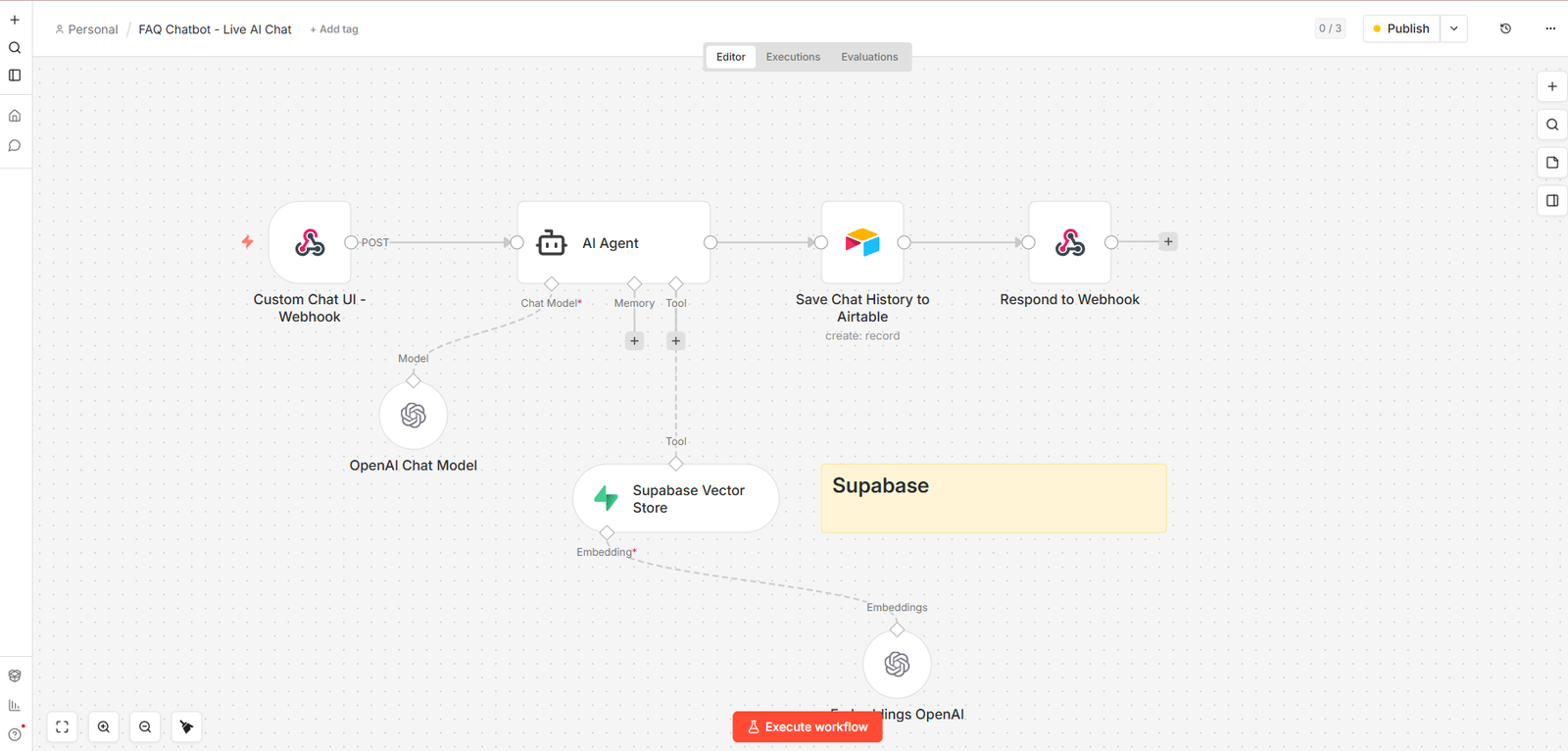
The chatbot follows a simple but powerful workflow under the hood:

Step 1 — Your content goes into a knowledge base

Your business information — services, FAQs, experience, contact details — is written in a Google Doc. That content is automatically extracted and stored in a Supabase vector database as searchable embeddings.

Step 2 — A visitor asks a question

The visitor types a question into the chat widget on your WordPress site.

Step 3 — The AI searches your knowledge base

Before responding, the AI always searches your Supabase knowledge base first. It never guesses or invents an answer.

Step 4 — The AI replies instantly

If the answer is found, the AI responds with a clear, friendly, Markdown-formatted reply. If not found, it displays your custom fallback message with your contact details.

Step 5 — The conversation is logged

Every chat — the visitor question, AI reply, page URL, session ID, and response status — is automatically saved to Airtable for you to review anytime.

The Tools and Tech Stack

Every tool used in this setup is either free, low-cost, or has a generous free tier — making this one of the most affordable custom AI chatbot setups available for WordPress websites.

n8n — Workflow Automation

n8n is the backbone of the entire chatbot system. It connects all the tools together using a visual workflow editor. The main chatbot workflow handles incoming messages from your WordPress site, passes them to the AI agent, retrieves answers from the knowledge base, logs the conversation to Airtable, and sends the reply back to the visitor — all automatically.
A second n8n workflow runs on a monthly schedule to keep your knowledge base fresh. It automatically deletes old data from Supabase and re-imports the latest version of your Google Doc so your chatbot always has up-to-date information.

OpenAI GPT — AI Language Model

The chatbot uses OpenAI’s GPT-4.1 Mini as the language model. This model is fast, cost-efficient, and reliable for FAQ-style chatbots. It powers the AI Agent node in n8n and also generates the text embeddings used to search the Supabase knowledge base. OpenAI usage costs for a low-to-medium traffic chatbot are minimal — typically just a few dollars per month.

Supabase — Vector Knowledge Base

Supabase is used as the vector database that stores your business content as searchable embeddings. When a visitor asks a question, n8n queries Supabase to find the most relevant information from your knowledge base before the AI forms a response. Supabase has a free tier that is more than sufficient for most small business chatbots.

Google Docs — Knowledge Base Source

Your business content lives in a simple Google Doc written in a Q&A format. This makes it extremely easy to update — no technical knowledge needed. Just edit the document, and the next scheduled sync will automatically update the chatbot knowledge base in Supabase.

Airtable — Chat History Logging

Every conversation is automatically saved to an Airtable base with the following details recorded for each chat:

  • Session ID
  • Visitor question
  • AI reply
  • Page URL where the chat happened
  • Visitor IP address and browser
  • Knowledge source (FAQ, Greeting, or Fallback)
  • Response status (Answered or Not Found)

This gives you full visibility into what your visitors are asking, which questions the chatbot answered successfully, and which questions need to be added to your knowledge base.

WordPress — Chat Interface

The chat widget is added to your WordPress site using a lightweight PHP snippet added to your theme’s functions.php file or a custom plugin. It works with any WordPress theme or page builder including Elementor, Breakdance, Kadence, Divi, Avada, and Gutenberg. No plugin conflicts, no bloat.
The widget connects directly to your n8n webhook URL and sends the visitor message, session ID, page URL, and site domain with every request.

Easy to Customize

One of the biggest advantages of this setup is how easy it is to customize — even for non-technical website owners.

Update your knowledge base anytime
Just edit your Google Doc and the chatbot will automatically sync the new content on the next scheduled run. No coding, no database management, no technical steps.

Change the chatbot name and personality
The AI system message controls how the chatbot introduces itself, what topics it covers, and what fallback message it shows. Changing the chatbot name, tone, or contact details takes less than a minute.

Add it to multiple pages
The chat widget can be shown on all pages or restricted to specific pages using simple WordPress conditional logic.

Customize the chat widget appearance
The widget colors, size, position, header text, and welcome message can all be changed by editing a few lines of CSS and HTML in the PHP snippet.

Why This Setup Is Not Expensive

Many businesses assume a custom AI chatbot requires a large budget. This setup proves otherwise.
Here is a realistic monthly cost breakdown for a small business chatbot:

  • n8n — Self-hosted: free. n8n Cloud: starts at around $20/month
  • OpenAI API — Typically $1 to $5/month for a low-traffic chatbot using GPT-4.1 Mini
  • Supabase — Free tier is sufficient for most small business use cases
  • Airtable — Free tier includes up to 1,000 records per base
  • Google Docs — Free
  • WordPress — You already have it

Total estimated monthly cost: $1 to $25/month depending on your traffic and whether you self-host n8n.
Compare that to SaaS chatbot platforms that charge $50 to $300 per month for far less flexibility and customization.

Who Is This For?

This service is ideal for:

  • WordPress business owners who receive repetitive questions from visitors
  • Freelancers and agencies who want to showcase their services through an interactive chatbot
  • Online course creators who need to answer enrollment and course questions automatically
  • Service providers such as developers, SEO specialists, and consultants who want to automate client inquiries
  • Small businesses looking for an affordable alternative to expensive chatbot platforms

Ready to Add an AI Chatbot to Your WordPress Website?

Stop answering the same questions manually. Let an AI assistant handle visitor inquiries around the clock — trained on your business, speaking in your voice, and logging every conversation for your review.

Get in touch and let’s build your chatbot.

Want to See a Live Demo First?

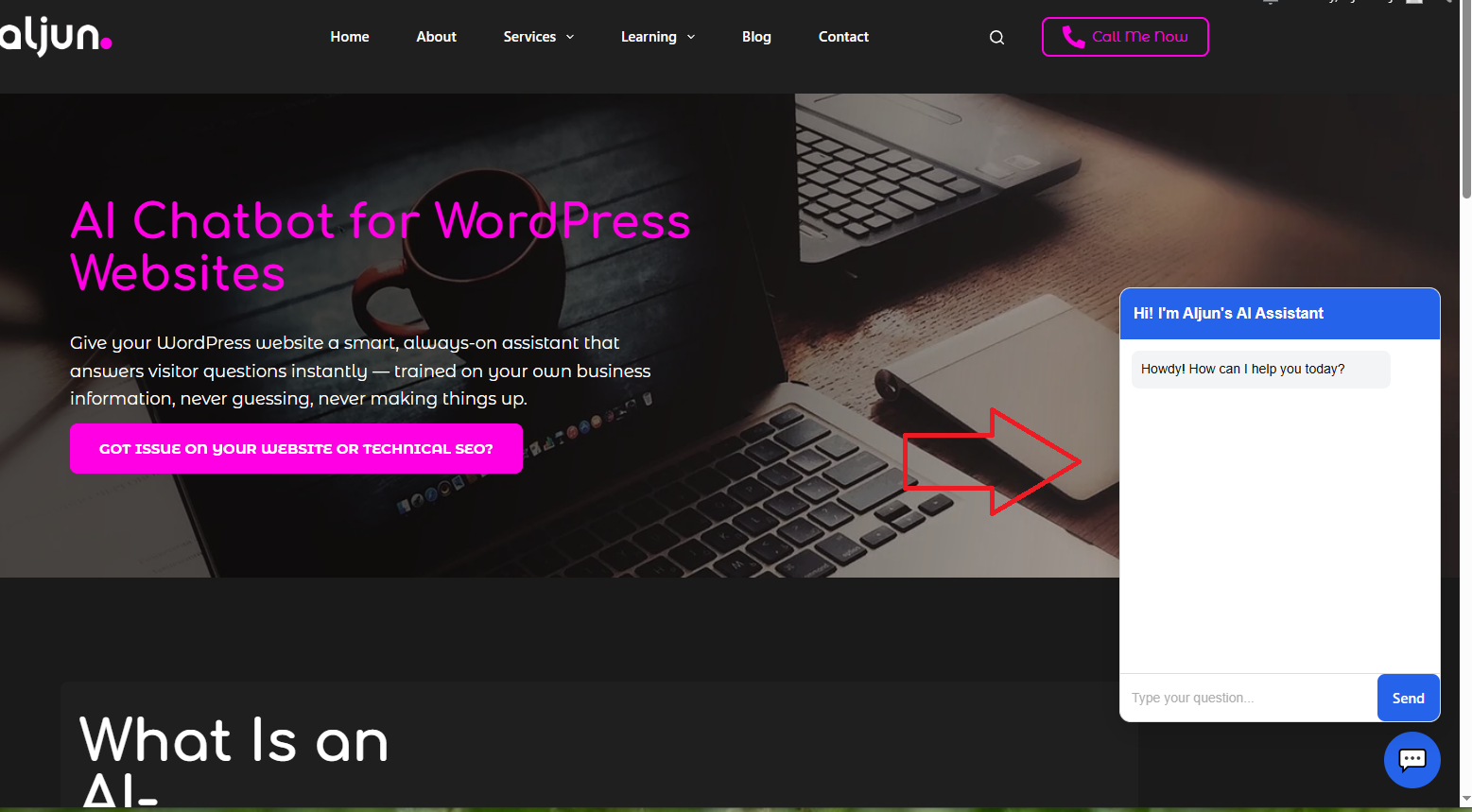
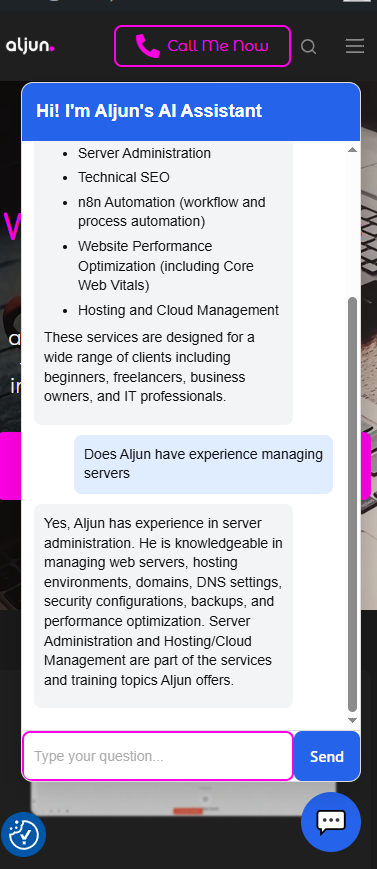
You are already on it. The chat icon you see in the lower right corner of this website is the actual AI chatbot I build for clients.
Go ahead and click the 💬 icon at the bottom right of this page and ask it anything about my services, skills, or experience. What you experience right now — the instant replies, the accurate answers, the friendly fallback message — is exactly what I will build for your website.
No slides. No demo video. No scheduled call needed just to see how it works. The proof is already live on this page.

Frequently Asked Questions

Can I update the chatbot knowledge base myself?

Yes. Your knowledge base is a simple Google Doc written in Q&A format. Just edit the document and the chatbot will sync automatically on the next scheduled update. No technical skills needed.

It works with any WordPress theme or page builder including Elementor, Breakdance, Kadence WP, Divi, Avada, WPBakery, YOOtheme, and Gutenberg. Since the chat widget is a simple HTML and JavaScript snippet that connects to an n8n webhook URL, it is not limited to WordPress only. It can be added to any website platform that allows you to insert custom HTML or JavaScript code, including:

  • WordPress — any theme or page builder
  • Shopify — via the custom code section
  • Webflow — via the embed element
  • Wix — via the custom code or HTML embed widget
  • Squarespace — via the code block
  • Ghost — via code injection
  • HTML websites — paste the snippet directly into any page
  • Custom PHP or Python websites — add the snippet to your footer or template file

As long as your platform allows you to add a small snippet of HTML and JavaScript, the chatbot can be installed and running in minutes.

Yes. The chat widget is fully responsive and works on all screen sizes including mobile and tablet.

If the question is outside the knowledge base, the chatbot displays a friendly fallback message with your contact details, such as your email address or phone number.

Yes. Every conversation is automatically logged to Airtable where you can see every visitor question, the AI reply, the page it happened on, and whether it was answered or not.

Hi! I'm Aljun's AI Assistant
Howdy! How can I help you today?